佳礼资讯网

 找回密码
 注册

ADVERTISEMENT

搜索
楼主: martinX

【Galaxy Note2 GT-N7100】开箱文/16 GB/超耐电池/拍照-迎来Kitkat 4.4 继续复活

  [复制链接]
发表于 22-10-2012 06:03 PM | 显示全部楼层
alanlim79 发表于 22-10-2012 12:20 PM
我也中毒了。。。前天才败了NOTE 10.1 ,这两天卖手机的朋友一直打电话来引诱我。。说SME RM 2150 给我。。 ...

2150 SME set那里卖呢?
回复

使用道具 举报


ADVERTISEMENT

发表于 22-10-2012 07:13 PM | 显示全部楼层
sengf 发表于 22-10-2012 06:26 PM
我的也是国际版,静音拍照就没有声音了,你们不行吗??

静音还是有声音,不是 全部都一样吗?


回复

使用道具 举报

发表于 22-10-2012 07:55 PM | 显示全部楼层
shong84 发表于 22-10-2012 01:44 PM
The pre-order comes with:

Free Accessories Gift Pack worth $202 (1 x Flip Cover, 1 x Protective ...

好过没有啦。。
回复

使用道具 举报

发表于 22-10-2012 08:34 PM | 显示全部楼层
请问下新加坡版的7105LTE可不可以刷7100的ROM?现在在考虑要买哪边的手机,7105怕没有什么支援华语的ROM可以刷。
回复

使用道具 举报

发表于 22-10-2012 08:46 PM | 显示全部楼层
Travis.w 发表于 22-10-2012 04:55 PM
新加坡机?

S 3 、LTE都好像还没有4核。
回复

使用道具 举报

发表于 22-10-2012 10:08 PM | 显示全部楼层
这个是我的casing


回复

使用道具 举报

Follow Us
发表于 22-10-2012 10:16 PM | 显示全部楼层
Force_Ming 发表于 22-10-2012 03:24 PM
我想问一下大家的Note2
我在设置打开的动作的快速一览
为什么不能运行?

简单而易,在电话(camera 那边)不要碰到电话,那边左右来回,手离开就有了
回复

使用道具 举报

发表于 22-10-2012 10:34 PM | 显示全部楼层
.Hardy. 发表于 22-10-2012 10:23 AM
对了~关于那个multasking view的升级还没有来到这里,对吗?

来了,download kies,然后连接你的note 2,然后自动update
回复

使用道具 举报


ADVERTISEMENT

发表于 22-10-2012 10:35 PM | 显示全部楼层
我来报到了,昨天买了空机。第一次用android手机,需要些时间适应。
回复

使用道具 举报

发表于 22-10-2012 10:42 PM | 显示全部楼层
有朋友要签plan但是不要机,这个周末会去签个Note2 白色回来,要卖RM2170,这里有人有兴趣吗?pm我
回复

使用道具 举报

发表于 22-10-2012 10:43 PM | 显示全部楼层
便便 发表于 22-10-2012 10:34 PM
来了,download kies,然后连接你的note 2,然后自动update

啊~我只是随便问一下而已,我不是用Note 2的
回复

使用道具 举报

发表于 22-10-2012 11:23 PM | 显示全部楼层
刚刚ROOT了我的机。。。前后不到三分钟。。。

接下去就是打算把games data transfer去 Class10 64G MicroSDcard。。
回复

使用道具 举报

发表于 22-10-2012 11:46 PM | 显示全部楼层
刚Root了。。

接下去就是把64G external SD 用directory bind 。。把heavy game data都transfer过去external SD。。yahooooo


~~~~~~~~~~~~~~~~~~~~~~~~~~~~~~~~~~~~~~~~~~~~~~~~~

Not enough internal USB storage disk space on Samsung Galaxy Series smartphone like Galaxy S II, Galaxy Note and Galaxy S III? There is around 11 GB internal USB storage disk (sdcard) on Samsung Galaxy S3 (16 GB version). And some of you might face running out of sdcard disk space issue sooner. Even with external micro SD card, you can’t install applications and games directly on it. Luckily, you can move applications and games data to external micro SD card with Directory Bind. Note – root access is needed.


Directory Bind Features

  • Aimed at specific functionality and features.
  • You can create any number of Data to Target directory pairs, mount them manually or choose to mount them on system boot (checkbox does that).
  • On / off switch controls whole mount-on-boot function.
  • Diskette icon indicates if mount operation was successful, by taping it you can mount / unmount entry.
  • Icon changes if application is using mounted entry.
  • Directory Bind can tell what application is using this entry (tap at entry in use).
  • Long tap on entry (disabled) brings edit/delete window.
  • App auto unmount all entries on USB connected and remount after USB disconnected.
  • App shows notification and vibrates if auto unmount on USB fails.
  • If mounting all checked entries (ex. on boot) app is waiting specified time (def. 60 sec) if data directory is not available.

How to move applications & games data to external SD card on Samsung Galaxy S3?
I take my Samsung Galaxy S3 as example. It should work on rooted Android phone with external micro SD card. Old Gameloft games data are stored at /mnt/sdcard/. However, latest Gameloft games data are stored at /mnt/sdcard/Android/data/ just like other Android applications and games. With Directory Bind, you can move one folder by one folder to external storage at /mnt/extSdCard/. I won’t move all applications and games data in Android/data folder to external micro SD card because it is much slower compare to internal memory. Therefore, I only move those unimportant or less frequent used applications and games to external storage with Directory Bind.


Moving gameloft folder.


Above are some of the applications and games folders that I moved to external SD card from internal storage. Thanks to Directory Bind, I can use internal storage disk space for more important stuffs. By the way, do study more about Directory Bind at XDA website.

Download Directory Bind v0.2.0o here.


本帖最后由 takekakashi 于 22-10-2012 11:49 PM 编辑

回复

使用道具 举报

发表于 22-10-2012 11:47 PM | 显示全部楼层
你好,

欢迎看看一些galaxy note 2 的壳哦。。 

http://cforum3.cari.com.my/forum ... ;extra=&page=11
回复

使用道具 举报

发表于 22-10-2012 11:50 PM | 显示全部楼层
再来毒一下那些还没有买的。。hohohoo

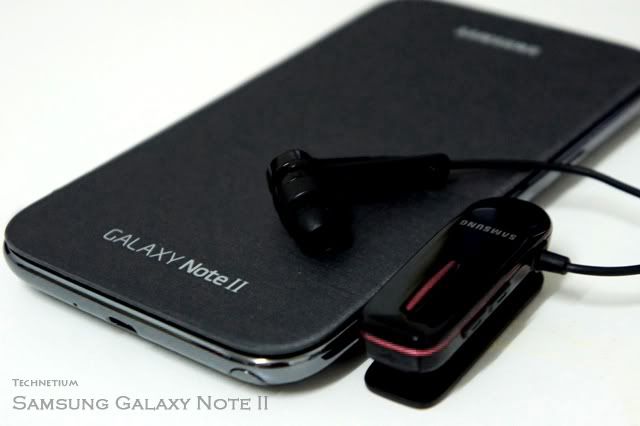
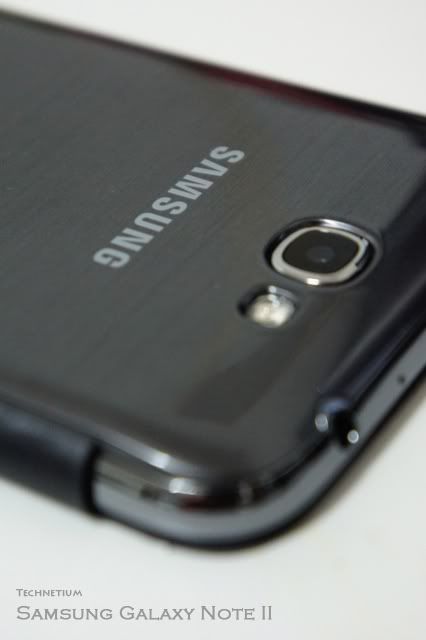
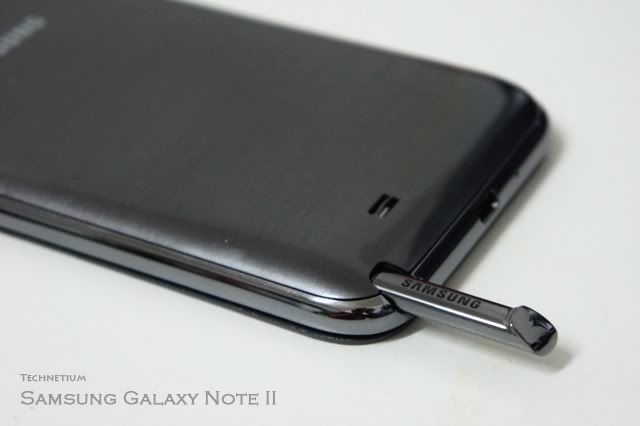
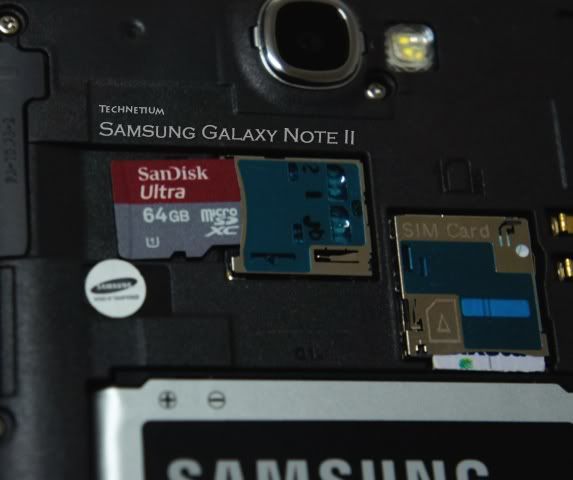
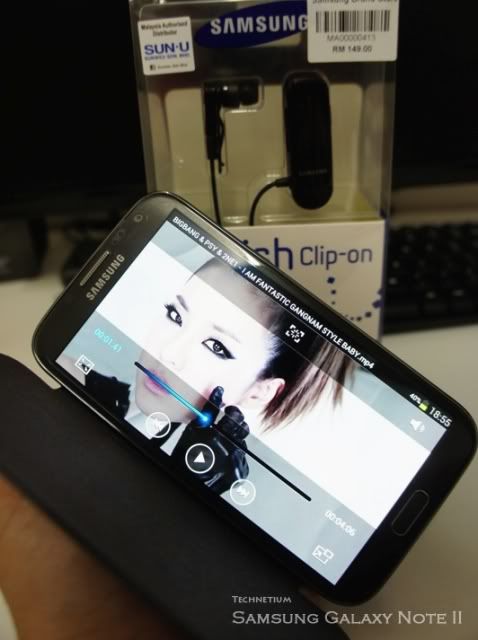
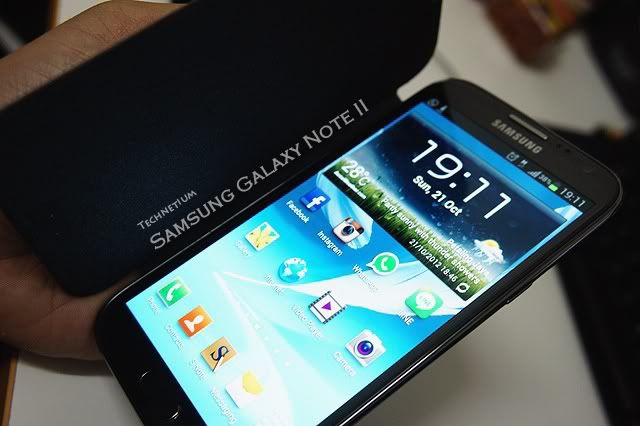
这是我的NoteII, Bluetooth Headset, Flip Cover and 64G micro memory card...screen protector拍不到。。

1.


2.


3.


4.


5.


6.

回复

使用道具 举报

发表于 22-10-2012 11:55 PM | 显示全部楼层


新人来报道了~~~~

评分

参与人数 1人气 +5 收起 理由
martinX + 5 已经更新在首页#6楼,谢谢分享

查看全部评分

回复

使用道具 举报


ADVERTISEMENT

发表于 23-10-2012 12:13 AM | 显示全部楼层
便便 发表于 22-10-2012 10:16 PM
简单而易,在电话(camera 那边)不要碰到电话,那边左右来回,手离开就有了

这个我当然懂,不能实际运行
在了解动作那边就可以~
回复

使用道具 举报

发表于 23-10-2012 08:19 AM | 显示全部楼层
takekakashi 发表于 22-10-2012 11:46 PM
刚Root了。。

接下去就是把64G external SD 用directory bind 。。把heavy game data都transfer过去exte ...

成功没??能过去memory card吗?
回复

使用道具 举报

发表于 23-10-2012 08:25 AM | 显示全部楼层
allinbox2u 发表于 22-10-2012 11:47 PM
你好,

欢迎看看一些galaxy note 2 的壳哦。。 

请问都有现货了吗?
回复

使用道具 举报

发表于 23-10-2012 08:38 AM | 显示全部楼层
takekakashi 发表于 22-10-2012 11:46 PM
刚Root了。。

接下去就是把64G external SD 用directory bind 。。把heavy game data都transfer过去exte ...

想问下,帮apps装在memory card会不会影响到运行?流畅度,开app速度 etc.
回复

使用道具 举报

您需要登录后才可以回帖 登录 | 注册

本版积分规则


ADVERTISEMENT


本周最热论坛帖子本周最热论坛帖子

ADVERTISEMENT


ADVERTISEMENT

ADVERTISEMENT


版权所有 © 1996-2026 Cari Internet Sdn Bhd (483575-W)|IPSERVERONE 提供云主机|广告刊登|关于我们|私隐权|免控|投诉|联络|脸书|佳礼资讯网

GMT+8, 12-4-2026 09:06 AM , Processed in 0.088416 second(s), 23 queries , Gzip On.

Powered by Discuz! X3.4

Copyright © 2001-2021, Tencent Cloud.

快速回复 返回顶部 返回列表